
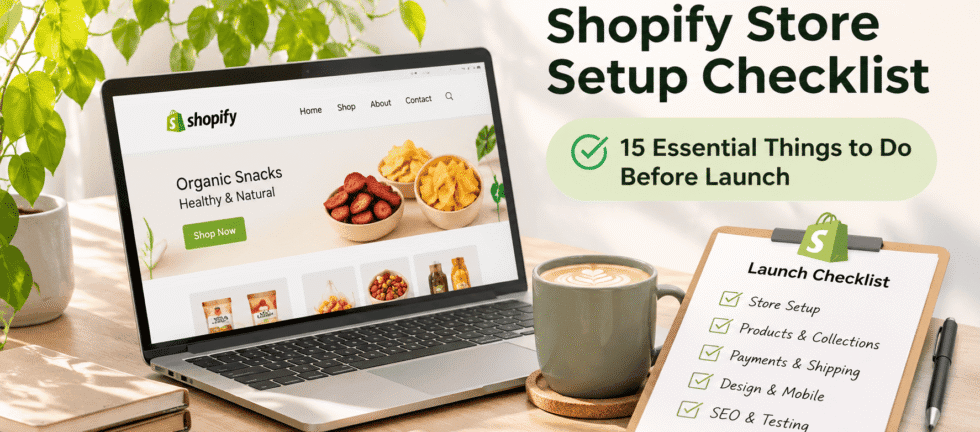
Launching a Shopify store involves much more than choosing a theme, uploading products and connecting a domain. A successful online store needs the right structure, product information, payment methods, shipping settings, mobile experience and SEO foundations.
Many businesses launch their Shopify websites without testing important features. This can lead to broken links, incorrect shipping charges, payment issues, poor product experiences and missed sales opportunities.
If you are planning to launch a new Shopify store or improve an existing one, this Shopify store setup checklist will help you understand what needs to be completed before your website goes live.
As a Shopify developer, I recommend reviewing these 15 essential areas before launching an eCommerce website.
Quick Answer: What Do You Need Before Launching a Shopify Store?
Before launching a Shopify store, make sure you have:
- A registered domain and appropriate Shopify plan
- A professional, mobile-responsive theme
- Well-organized products and collections
- Complete product descriptions and images
- Payment gateway configuration
- Shipping rates and delivery settings
- Tax settings based on your business requirements
- Essential store policies
- Tested cart and checkout functionality
- SEO-friendly URLs, titles and descriptions
- Analytics and conversion tracking
- Mobile, speed and functionality testing
Completing these steps helps create a more reliable shopping experience and reduces common launch problems.
1. Choose the Right Shopify Theme
Your Shopify theme determines how customers experience your online store.
Choose a theme that matches your product category, brand identity and business requirements. A good theme should offer:
- Responsive layouts for mobile, tablet and desktop
- Flexible homepage sections
- Customizable product and collection pages
- Clear navigation
- Good performance
- Support for your required features
Avoid adding too many decorative elements or unnecessary animations. Your products, important information and calls to action should remain easy to find.
For brands with specific design requirements, Shopify theme customization can help create a more distinctive shopping experience.
2. Plan Your Website Structure and Navigation
Before uploading products, plan how customers will navigate your store.
Create a clear menu structure with relevant categories such as:
- Home
- Shop All
- Product Collections
- About Us
- Contact
- FAQs
Depending on your business, you may also need pages for shipping information, returns, wholesale enquiries or subscription services.
Keep navigation simple. Customers should be able to find the products they need without going through too many steps.
3. Organize Products and Collections
Product organization is one of the most important parts of Shopify store development.
Create collections based on product types, categories, use cases, customer preferences or other relevant attributes.
For every product, prepare:
- A clear product title
- Detailed product description
- Product images
- Price and comparison price, where applicable
- SKU and inventory information
- Product variants such as size, colour or flavour
- Relevant product tags
- Shipping information, where needed
For example, a food brand may organize products into snacks, fruit packs, family packs and trial packs.
A well-structured catalogue makes browsing easier and supports internal navigation.
4. Create Useful Product Pages
A product page should answer the customer’s questions before they decide to purchase.
Include:
- Clear product name
- High-quality product photographs
- Key product benefits and features
- Product specifications
- Size, weight or quantity
- Available variants
- Pricing
- Delivery information
- Relevant FAQs
Use original product descriptions instead of copying manufacturer descriptions or repeating the same content across multiple products.
For products with specific ingredients, materials or usage instructions, provide accurate information that customers can understand.
5. Configure Payment Gateways
Customers need convenient and reliable payment options.
Shopify payment availability depends on your business location, country and eligibility.
Before launch:
- Review the payment providers available in your country.
- Configure the payment methods you intend to offer.
- Check supported currencies.
- Review payment processing fees.
- Test the checkout payment flow.
- Confirm that successful orders appear correctly in Shopify.
If you sell internationally, review the payment experience for your target markets.
For India-based stores, payment gateway selection and currency compatibility should be checked carefully before launch.
6. Set Up Shipping and Delivery Rules
Incorrect shipping settings can create checkout problems and unexpected delivery costs.
Configure shipping based on your business model.
Review:
- Shipping zones
- Delivery locations
- Shipping rates
- Free shipping thresholds
- Weight-based or price-based rates
- Local delivery options
- Product-specific shipping requirements
- Estimated delivery information
If you manage inventory from multiple locations, check how Shopify assigns inventory and fulfils orders.
Always test shipping calculations using different delivery addresses and cart values.
7. Review Taxes and Store Policies
Tax configuration depends on your business location, products and the markets where you sell.
Review applicable tax requirements with a qualified tax professional where necessary.
Your store should also have clear policies covering:
- Shipping and delivery
- Returns and refunds
- Privacy
- Terms of service
- Contact information
Make sure these policies accurately reflect how your business operates.
8. Design a Professional Homepage
Your homepage is often the first impression customers get of your brand.
A well-structured homepage should communicate:
- What your business sells
- Who your products are for
- What makes your brand different
- Where customers should start shopping
Useful homepage sections may include:
- Main banner with a clear call to action
- Featured collections
- Best-selling products
- Brand introduction
- Product benefits
- Customer testimonials, if genuine
- Trust information
- Frequently asked questions
Keep the layout clean and avoid overwhelming visitors with too many sections.
9. Make Your Shopify Store Mobile-Friendly
A store that looks good on desktop may not provide the same experience on mobile devices.
Test your website on different screen sizes.
Check:
- Navigation menu
- Product images
- Text readability
- Buttons and links
- Product variants
- Add-to-cart functionality
- Cart layout
- Checkout flow
Make sure important actions are easy to complete without excessive scrolling or zooming.
10. Optimize Your Shopify Store for SEO
Search engine optimization should be considered before the store launches.
Important SEO tasks include:
- Writing unique page titles
- Creating useful meta descriptions
- Using descriptive product titles
- Optimizing image file names and alt text
- Organizing headings correctly
- Creating clean URLs
- Adding relevant internal links
- Submitting the sitemap to Google Search Console
- Checking canonical URLs
- Reviewing indexing settings
Use keywords naturally in your content. Avoid keyword stuffing or creating pages only to repeat search terms.
Shopify also generates a sitemap that can be submitted through Google Search Console.
11. Optimize Images and Website Performance
Large image files can affect page loading speed, especially on mobile devices.
Before uploading images:
- Resize images according to their display requirements.
- Use suitable formats such as WebP where supported.
- Compress images without making them visibly poor quality.
- Write descriptive alt text.
- Avoid unnecessary background videos and heavy animations.
Review your store’s performance and identify scripts, apps or design elements that may slow down the website.
12. Install Only Essential Shopify Apps
Shopify apps can add useful functionality, but installing too many apps can make store management more complicated.
Choose apps according to your actual business requirements.
Common app categories include:
- Product reviews
- Email marketing
- Subscription management
- Product bundles
- Search and filters
- Shipping integrations
- Inventory management
- Customer support
Before installing an app, check its compatibility, pricing, features and impact on website performance.
13. Set Up Analytics and Conversion Tracking
Analytics help you understand how visitors interact with your store.
Set up the relevant tracking tools for your business, such as:
- Google Analytics 4
- Google Search Console
- Google Tag Manager, where required
- Advertising conversion tracking
- Shopify analytics
Check important customer actions such as product views, add-to-cart events, checkout starts and purchases.
Test tracking rather than assuming that installing a tracking code means everything is working correctly.
14. Test the Complete Shopping Experience
Never launch a store without testing the complete customer journey.
Place test orders and review:
- Product selection
- Variant selection
- Add-to-cart functionality
- Discount codes
- Shipping calculations
- Taxes
- Payment process
- Order confirmation emails
- Inventory updates
- Order management
Also check important website links, contact forms and mobile navigation.
A store should be tested from the customer’s point of view, not just from the Shopify admin.
15. Prepare Your Store for Launch
Before making your Shopify store public, complete a final review.
Use this launch checklist:
- Domain connected correctly
- SSL/security connection working
- Homepage reviewed
- Product pages completed
- Collections organized
- Navigation tested
- Payment gateways configured
- Shipping settings tested
- Tax settings reviewed
- Store policies published
- Mobile responsiveness checked
- SEO titles and descriptions added
- Images optimized
- Analytics and tracking tested
- Test order completed
- Password protection and launch settings reviewed
Once everything is checked, your store is better prepared to welcome customers.
Real-World Example: Shopify Development for a Food Brand
A food eCommerce website needs more than attractive product photographs. Customers also need clear product information, well-organized collections, easy navigation and a convenient shopping experience.
For the DrymFoods project, the website presents a freeze-dried food brand through its product and pack structure.
The project is an example of how product presentation, collection organization and website structure can work together to make an online food store easier to explore.
You can explore the website here: https://drymfoods.com/
The right development approach depends on the products, business model, target audience and features required by each brand.
Common Shopify Store Launch Mistakes to Avoid
Some common mistakes businesses should avoid include:
- Choosing a theme without considering mobile usability.
- Uploading products with incomplete descriptions.
- Using unoptimized product images.
- Configuring shipping rates incorrectly.
- Not testing payment gateways.
- Installing unnecessary apps.
- Ignoring SEO settings.
- Forgetting to configure analytics.
- Launching without placing a test order.
- Failing to review the complete customer journey.
A proper pre-launch review can help identify these problems before customers encounter them.
Frequently Asked Questions About Shopify Store Setup
How long does it take to set up a Shopify store?
The timeline depends on the number of products, design requirements, custom functionality, integrations and content readiness. A basic store may take less time than a fully customized eCommerce website.
Can I set up a Shopify store without a developer?
Yes. Shopify provides tools that allow business owners to create and manage a basic online store. However, custom design, advanced functionality, integrations and technical troubleshooting may require an experienced Shopify developer.
What is the most important thing to check before launching a Shopify store?
Test the complete shopping journey, including product selection, cart, shipping, payment and order confirmation. Also review mobile usability and essential SEO settings.
Does Shopify provide SEO features?
Shopify includes several built-in SEO features, such as editable page titles and meta descriptions, canonical tags and an automatically generated sitemap. Additional SEO work is still required to improve content quality, site structure, technical performance and search visibility.
Which Shopify apps should I install before launch?
Install only the apps required for your store’s functionality. Depending on your business, you may need apps for reviews, subscriptions, bundles, shipping, email marketing or inventory management.
Can an existing Shopify store be redesigned?
Yes. An existing Shopify store can be redesigned and customized to improve its appearance, navigation, mobile experience and functionality. The scope should be reviewed carefully to protect important store features and existing SEO URLs.
Do I need SEO before launching my Shopify store?
Yes. Setting up clean URLs, page titles, meta descriptions, image alt text, internal links and indexing settings before launch creates a better SEO foundation. Ongoing content and optimization are also important.
Final Thoughts
Launching a Shopify store is not just about making a website live. It is about creating a reliable shopping experience that helps customers discover products, understand what they are buying and complete their purchases confidently.
A well-planned setup, thoughtful design, accurate product information, correct payment and shipping configuration, mobile testing and SEO foundations can make a meaningful difference to your store’s readiness.
If you are planning a new Shopify store, redesigning an existing website or need help with Shopify customization, working with an experienced developer can help you avoid common technical and setup issues.
Need Help Setting Up or Improving Your Shopify Store?
I provide Shopify store development, theme customization, product and collection setup, app integrations, website optimization and ongoing technical support for businesses.
Explore my Shopify Development Services or view my portfolio to see selected website projects.
Ready to discuss your Shopify project? Get in touch: https://freelancershweta.in/contact/